 Tagloom
Why XMP Sidecar Files Are the Safest Place for Photo Metadata
When you add a title or keywords to a photo, the words have to live somewhere. There are only three candidates: inside the image file itself, inside a catalog database, or in a small separate file that sits next to the image. That third option, the XMP sidecar, is the least glamorous and, for an archive you care about, usually the safest. Here is why.
What an XMP sidecar actually is
XMP (Extensible Metadata Platform) is an open, text-based format for describing a file. A sidecar is
simply an XMP document saved beside the photo, with the same base name and a .xmp extension:
DSC_4127.NEF— the original RAW file, never modifiedDSC_4127.xmp— a few kilobytes of text holding its title, description and keywords
Inside, keywords live in a standard field called dc:subject, the title in dc:title
and the caption in dc:description. Because these are shared standards, a sidecar written by one
application can be read by another.
The problem with writing into your originals
Embedding metadata directly into JPEG or TIFF files works, and many apps offer it. It also has real costs:
- Every save rewrites a file you cannot replace. A crash, a full disk or a buggy writer at the wrong moment can damage the only copy of a photo. The risk is small per file and very real across 50,000 files.
- Backups and sync re-upload everything. Change one keyword on 3,000 JPEGs and your backup tool sees 3,000 modified multi-megabyte files instead of 3,000 tiny text files.
- RAW formats are proprietary. Camera makers do not document every byte of their RAW files, which is exactly why professional software writes RAW metadata to sidecars instead of into the file.
- Checksums and archives break. If you verify archives with checksums, or keep originals on write-once storage, modifying them is either impossible or defeats the purpose.
Why a catalog database is not enough either
Catalog apps store your keywords in their own database. That is fast and convenient, but the words are only as portable as the catalog. Switch software, lose the catalog file or open the folder on another computer, and the keywords are gone from view. Writing metadata out to sidecars means the information also exists next to the photos, independent of any one program.
Embedded metadata vs. sidecars at a glance
| Embedded in the photo | XMP sidecar | |
|---|---|---|
| Original file modified | Yes, on every change | Never |
| Size of a change on disk | The whole image is rewritten | A few kilobytes |
| Safe for RAW files | Risky or unsupported | Yes, the industry norm |
| Undo | Needs a backup of the original | Delete the .xmp file |
| Travels with the photo | Always | When you copy the folder, not a single file |
The one real downside of sidecars is the last row: if you email or upload a single JPEG, its sidecar does not go with it. For archives and catalogs, which move as folders, that rarely matters.
Which apps read sidecars, and for which files
This is the detail most guides skip, and it determines which naming style you should use.
-
Adobe Lightroom Classic and Adobe Bridge read
photo.xmpsidecars for camera RAW files. For JPEG, TIFF, PSD and DNG they read only the metadata embedded in the file and ignore a sidecar. - Capture One reads XMP sidecars for RAW files.
-
digiKam can read sidecars for every format. By default it uses the full file name, such as
photo.jpg.xmp, and can be configured to readphoto.xmpas well. - darktable uses
photo.jpg.xmpstyle sidecars for every format.
Rule of thumb: Adobe-centric RAW workflows use IMG_0001.xmp; open-source workflows use IMG_0001.jpg.xmp. The full file name style also keeps a RAW and a JPEG of the same shot from sharing one sidecar.
Sidecars and other people's metadata
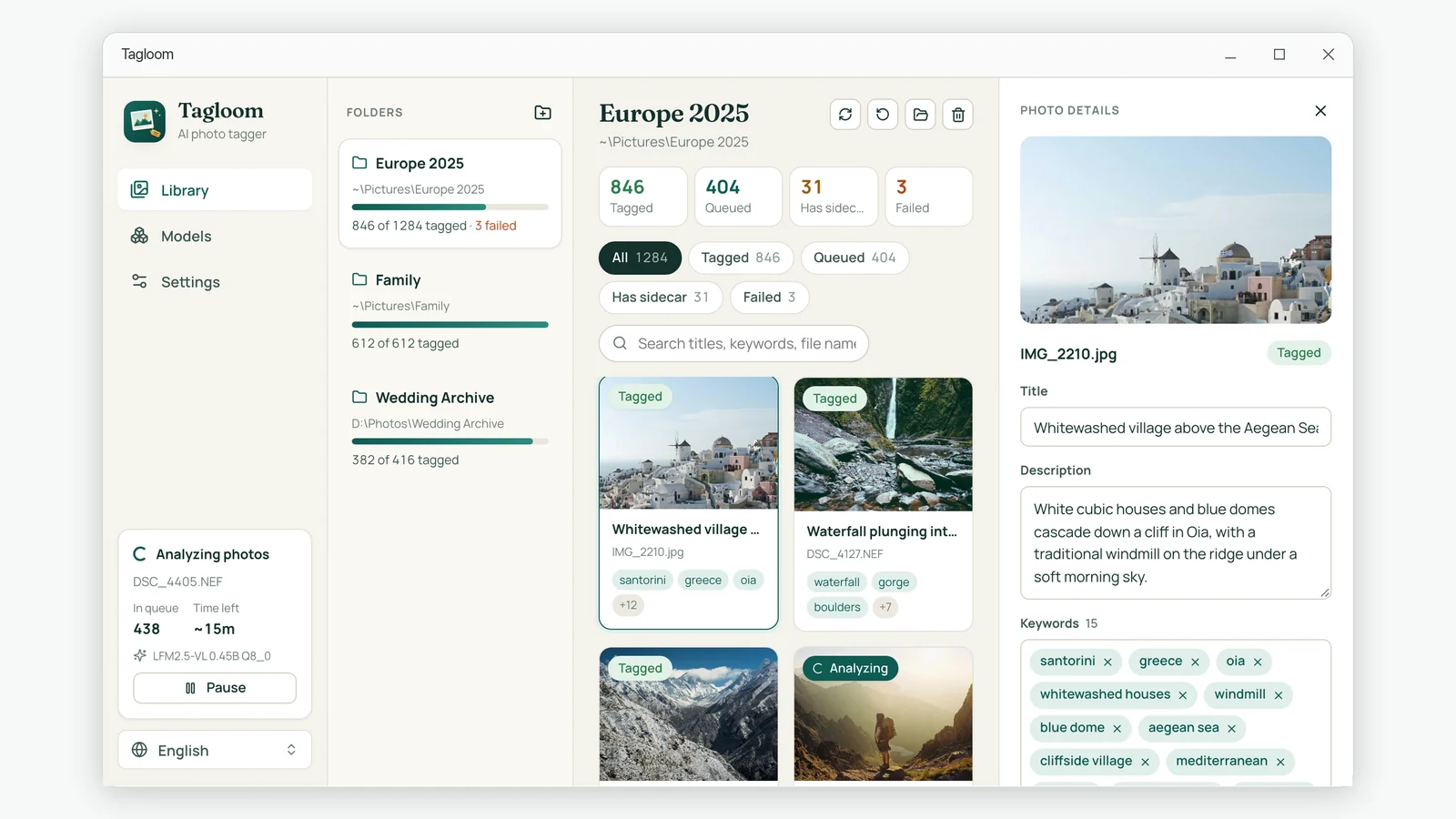
A sidecar is also where Lightroom and other editors keep develop settings and ratings. Any tool that writes sidecars should therefore treat existing ones with care. Tagloom takes the conservative route: it creates a sidecar only where none exists, marks the ones it writes with its own namespace, and refuses to modify any sidecar it did not create. When you edit a photo's keywords in Tagloom, only its own sidecar is updated.
Good habits for a sidecar-based archive
- Move folders, not files. Copy or move whole folders so each photo keeps its sidecar beside it.
- Back up the .xmp files too. Make sure your backup tool does not exclude small text files or unknown extensions.
- Pick one naming style per library. Mixing
photo.xmpandphoto.jpg.xmpin one archive confuses both people and software. - Keep originals read-only if you can. With sidecars, nothing in your workflow ever needs to write to them again.
Summary
XMP sidecars give you portable, standard metadata without rewriting the photos you cannot replace. They are small, easy to back up, trivial to undo and understood by the major catalog applications. If you are about to add keywords to a large archive, sidecars are the safe default.