Titles, descriptions and keywords
Every photo gets a short headline, one or two plain sentences and a ranked list of search keywords.

Tagloom looks at every photo in a folder with AI that runs on your own PC, then writes a title, a description and keywords into an XMP sidecar file right next to it.
Get it from Microsoft Store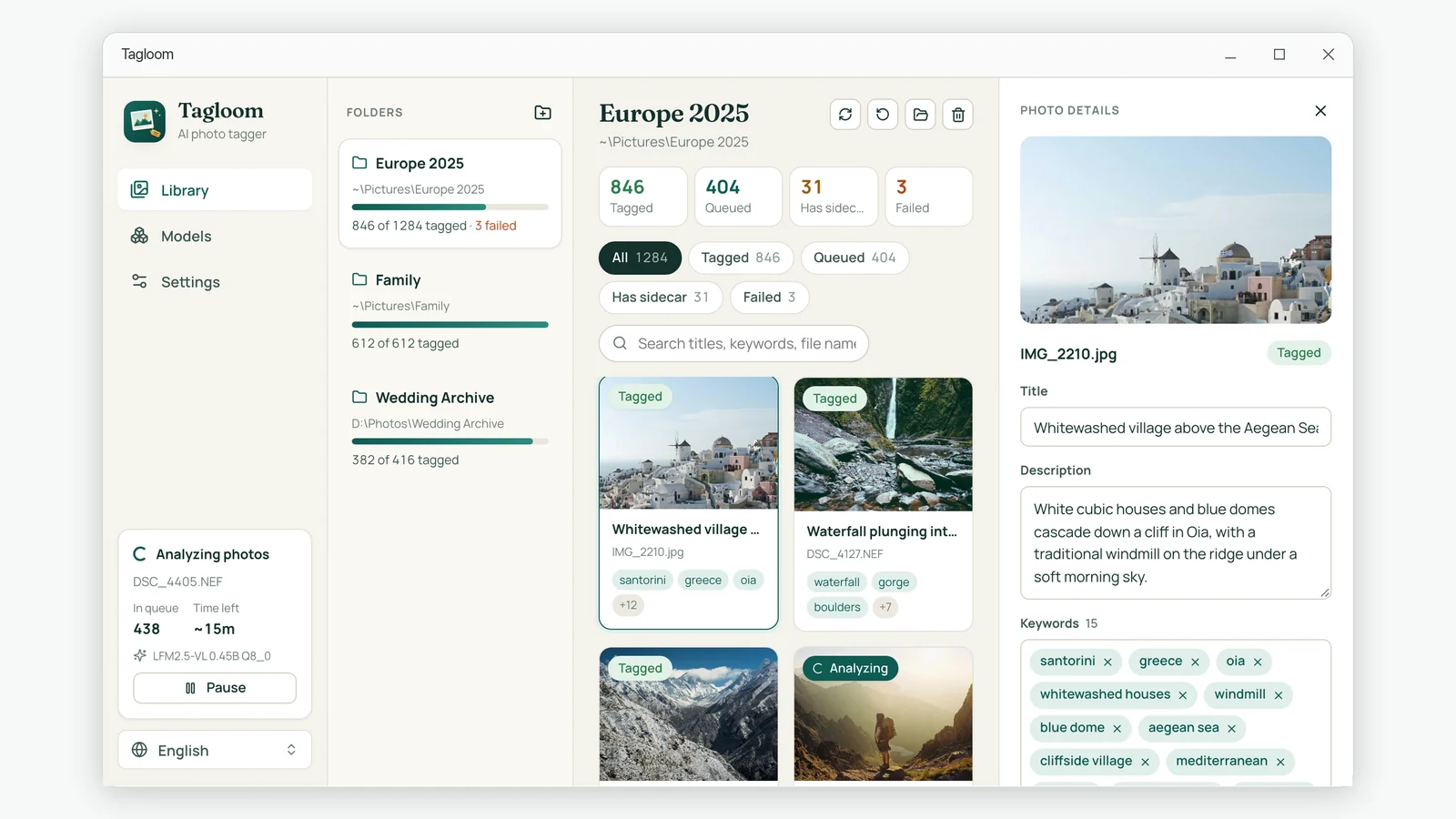
Built for photographers with thousands of untagged images and no time to describe them one by one.
Every photo gets a short headline, one or two plain sentences and a ranked list of search keywords.
The AI runs on your computer. Photos are never uploaded, and once the model is downloaded you can work offline.
Metadata lands in a .xmp file beside each photo, the format digiKam, darktable, Lightroom and Bridge already understand.
Photos that already have a sidecar are skipped. Files written by other apps, like Lightroom develop settings, are never touched.
Add whole folders with subfolders. Tagloom works through the queue, shows time remaining and tags new photos as they arrive.
Write keywords in English, Chinese, Japanese, Korean, French, German, Spanish or Italian, independent of the app language.
Everything happens in one window: your folders, the tagging queue and every photo's metadata.
Open any photo to read its title, description and keywords. Edit a word or add your own, and Tagloom saves the change straight back to the sidecar.
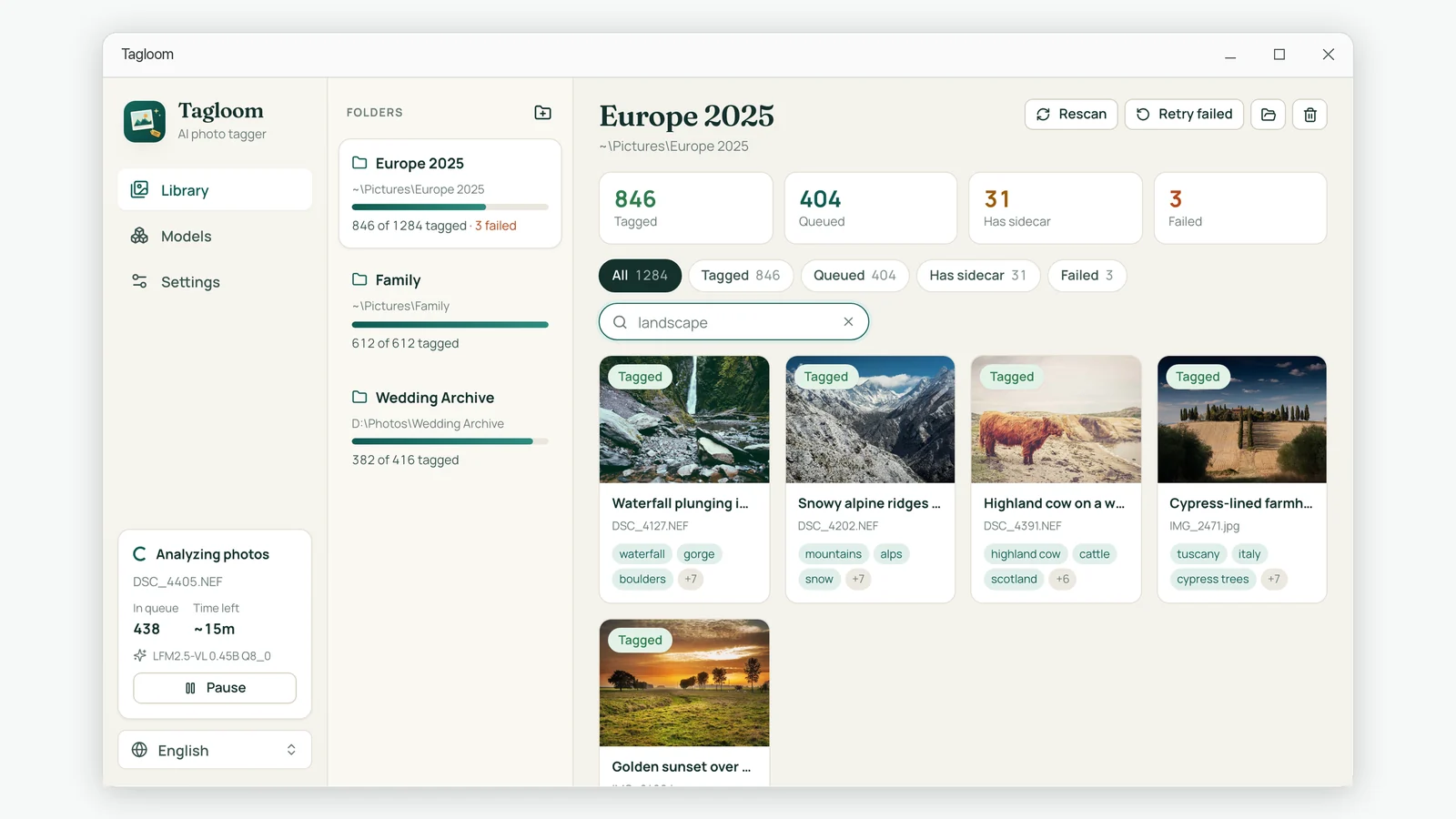
Search across titles, keywords and file names. A search for "landscape" brings back waterfalls, ridges and Tuscan hills you never tagged yourself.
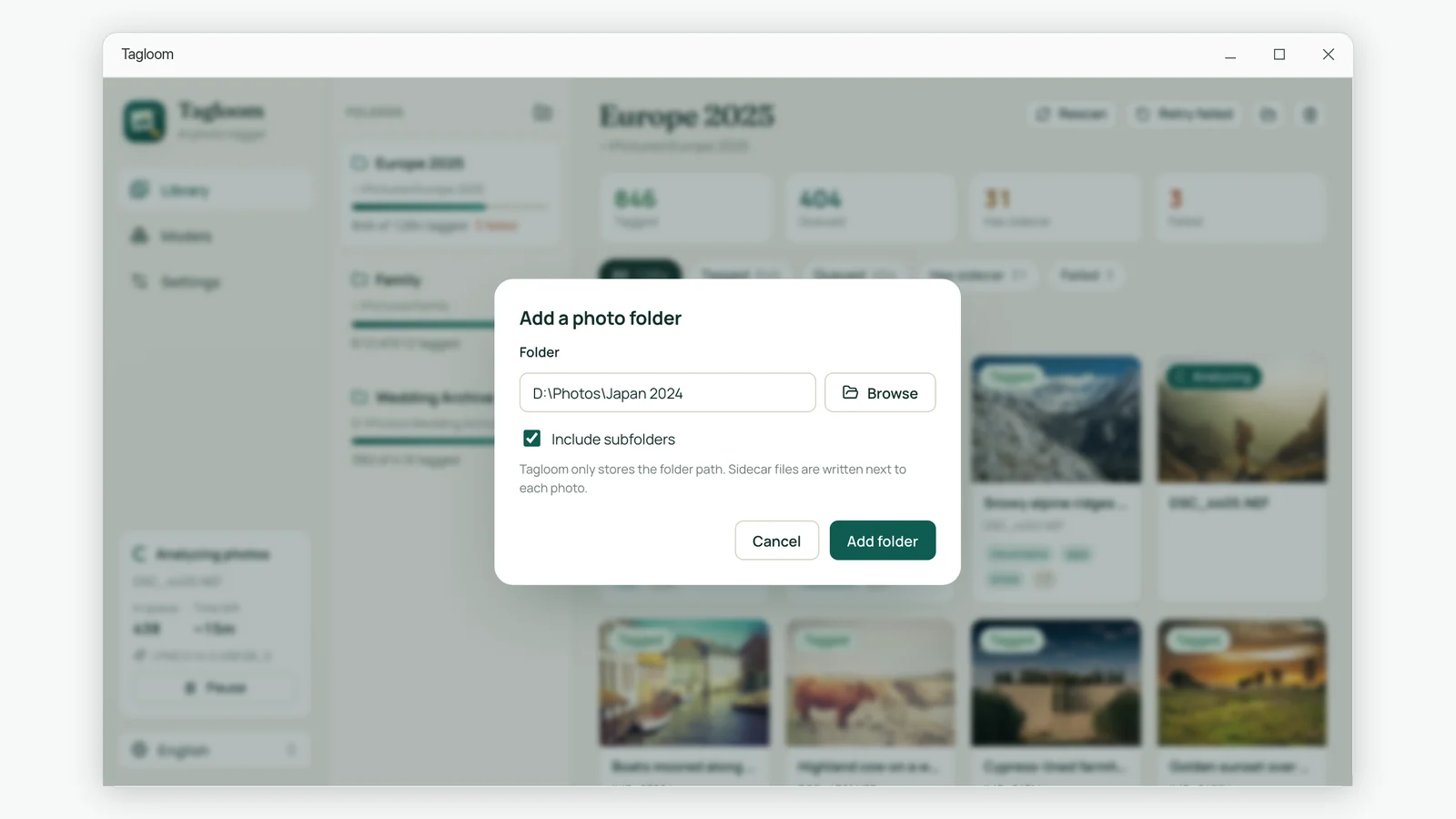
Pick a folder, include its subfolders and let it run. Tagloom only remembers the folder path; your photos stay exactly where they are.
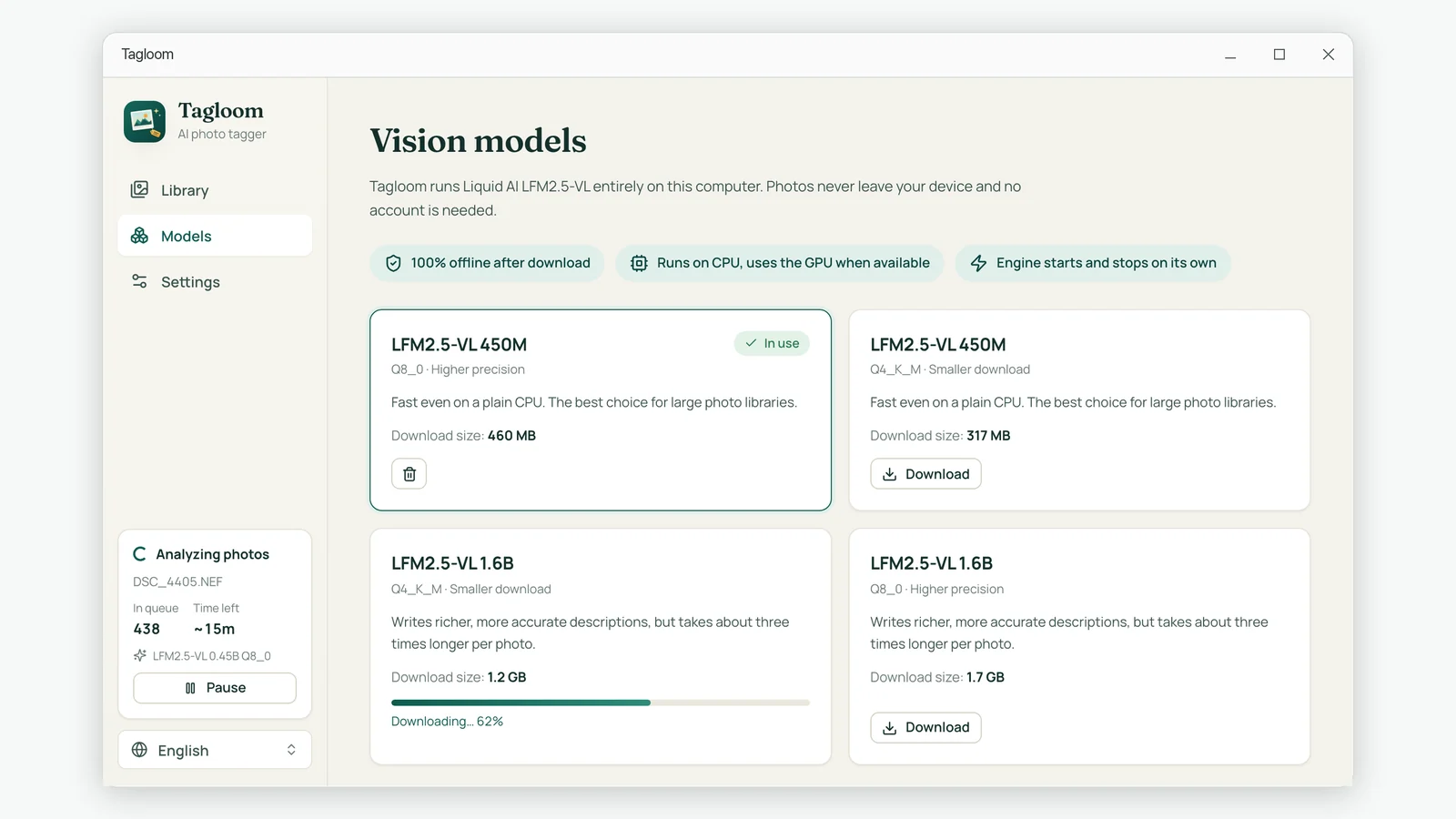
A compact model is fast even without a graphics card. A larger one writes richer descriptions when you have time to spare.
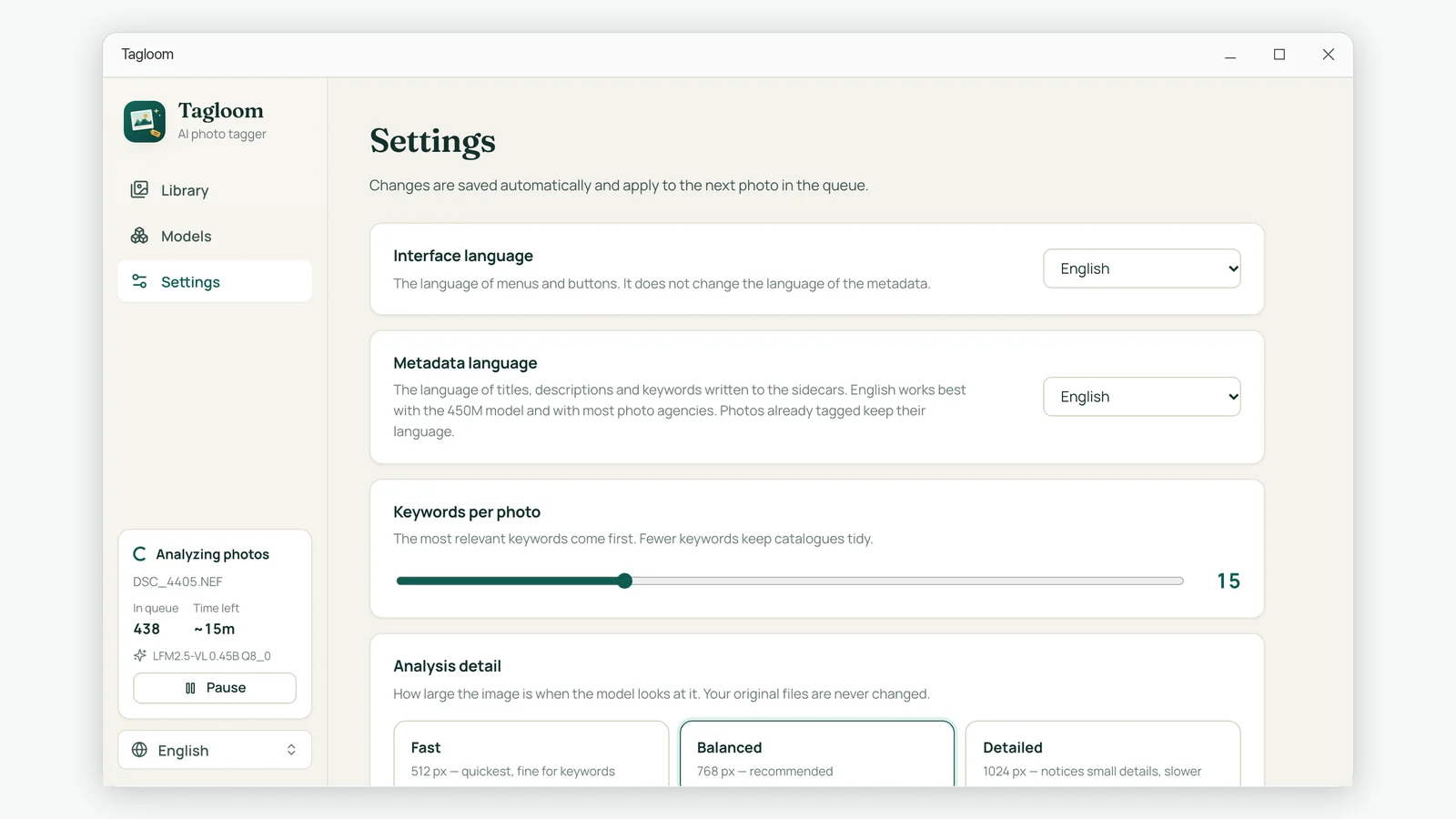
Choose the metadata language, how many keywords each photo gets, how closely the AI looks and the sidecar naming your software expects.
Choose a vision model on the Models page. After that, tagging needs no internet connection.
Tagloom scans them, skips photos that already have a sidecar and queues the rest.
Each photo now has a .xmp file with its title, description and keywords, ready for your catalog.
Manual keywording does not scale. Here is a practical way to describe a whole archive in the background.
Writing into your originals is risky. Sidecars keep metadata portable without touching a single pixel.
Exactly which files each app reads, and the clicks that bring the keywords into your catalog.
Folder names and dates only go so far. How to make years of untagged pictures searchable again.
No. The AI model runs on your PC and analyzes photos locally. Tagloom has no account system and sends no photo, keyword or file name to any server.
No. If a photo already has a sidecar, Tagloom skips it. A sidecar written by another application is never modified, even when you ask Tagloom to analyze that photo again. Tagloom only creates new sidecars and updates the ones it created itself.
digiKam and darktable read XMP sidecars for every photo. Adobe Lightroom Classic, Adobe Bridge and Capture One read sidecars for camera RAW files; for JPEG and TIFF they only read metadata stored inside the file. Choose the sidecar naming in Settings that matches your software.
Never. Photos are only opened for reading. Tagloom does not edit, move, rename or copy them.
JPEG, PNG, WebP, TIFF, BMP and GIF, plus camera RAW files from Canon, Nikon, Sony, Fujifilm, Olympus, Panasonic, Pentax, Samsung, Hasselblad and Adobe DNG.
No. Tagloom runs on Windows 10 or 11 (64-bit) with an ordinary processor, and uses your graphics card automatically when one is available. 8 GB of memory is recommended.
Yes, after the one-time model download. Tagging, searching and editing all work offline.
Delete the .xmp files it created. Your photos are untouched, so removing the sidecars returns the folder to exactly how it was. You can also edit any photo's metadata in the app and save it back.